Quick summary
How a missing deep-link button frustrated users and why we shipped the fix in 24 hours
Table of contents
We Built the Obvious Button We Forgot to Design
The Oops Moment
We nailed the integration. Tasks from ClickUp, Asana, and Monday synced perfectly into our time-tracker. Beautiful UI. Clean data. Everything worked.
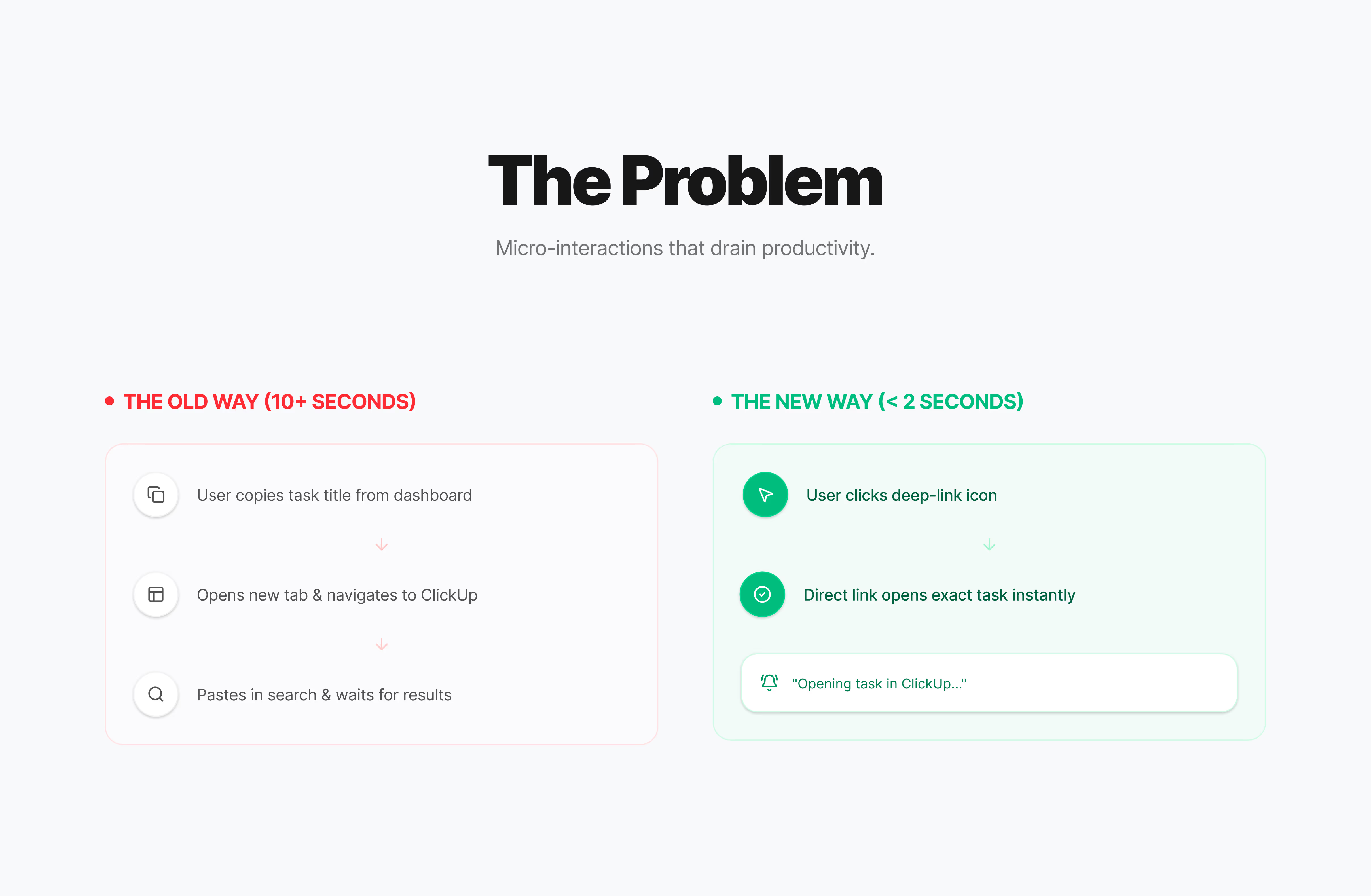
Except… users couldn’t get back to the original task.
“Wait, how do I open this in ClickUp?”
Turns out, we built a one-way street. Users were copying task names, opening new tabs, and manually searching for something we’d already imported. Every. Single. Time.
The “How Did We Miss This?” Fix
Added a direct deep-link right in the task row. One click → opens in the source platform.
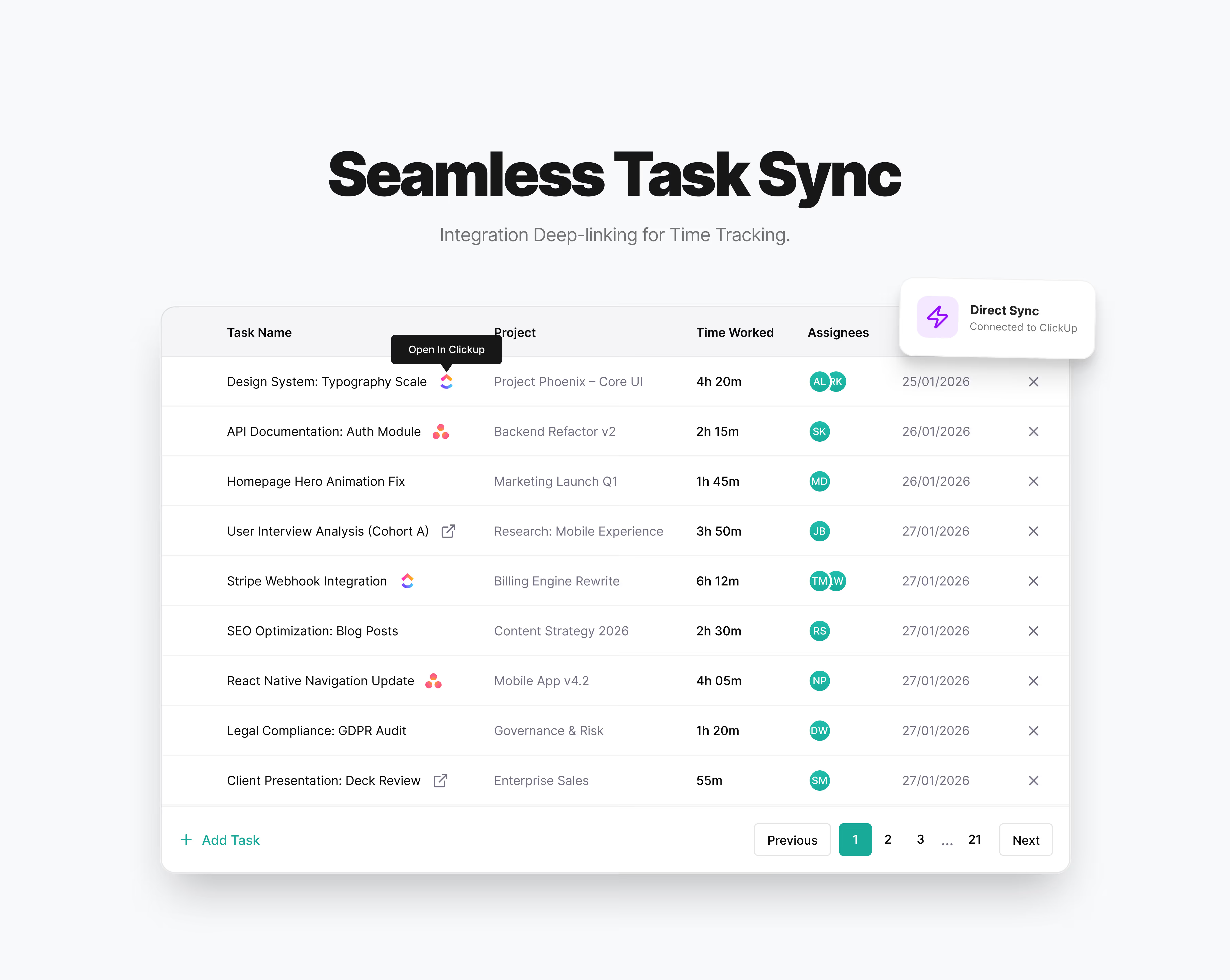
That’s it. That’s the whole feature.
Why it works:
- Lives where users naturally look (next to the task name)
- Platform icon = instant clarity
- No hunting, no menus, no friction
- From 10+ seconds to literally 2 seconds
Designed, built, shipped: 24 hours
When the solution is obvious and users are literally asking for it, you just ship it.
What Changed
- Support tickets about “finding my tasks” = gone
- Users started mentioning it unprompted: “Love that ClickUp button”
- NPS bump from integration users
- Team morale boost (sometimes the small wins hit different)
The Real Takeaway
Your users don’t live in your app. They live in 12 apps.
When you integrate with other tools, you’re not replacing their workflow you’re joining it. Make the handoff seamless, or you become the friction.
The best integrations feel like extensions, not destinations.